

You can use the Seller Forum to connect with other Walmart Marketplace sellers and share insights. In this guide, you’ll learn how to post a discussion.
Post a new discussion
Step 1 – Get started
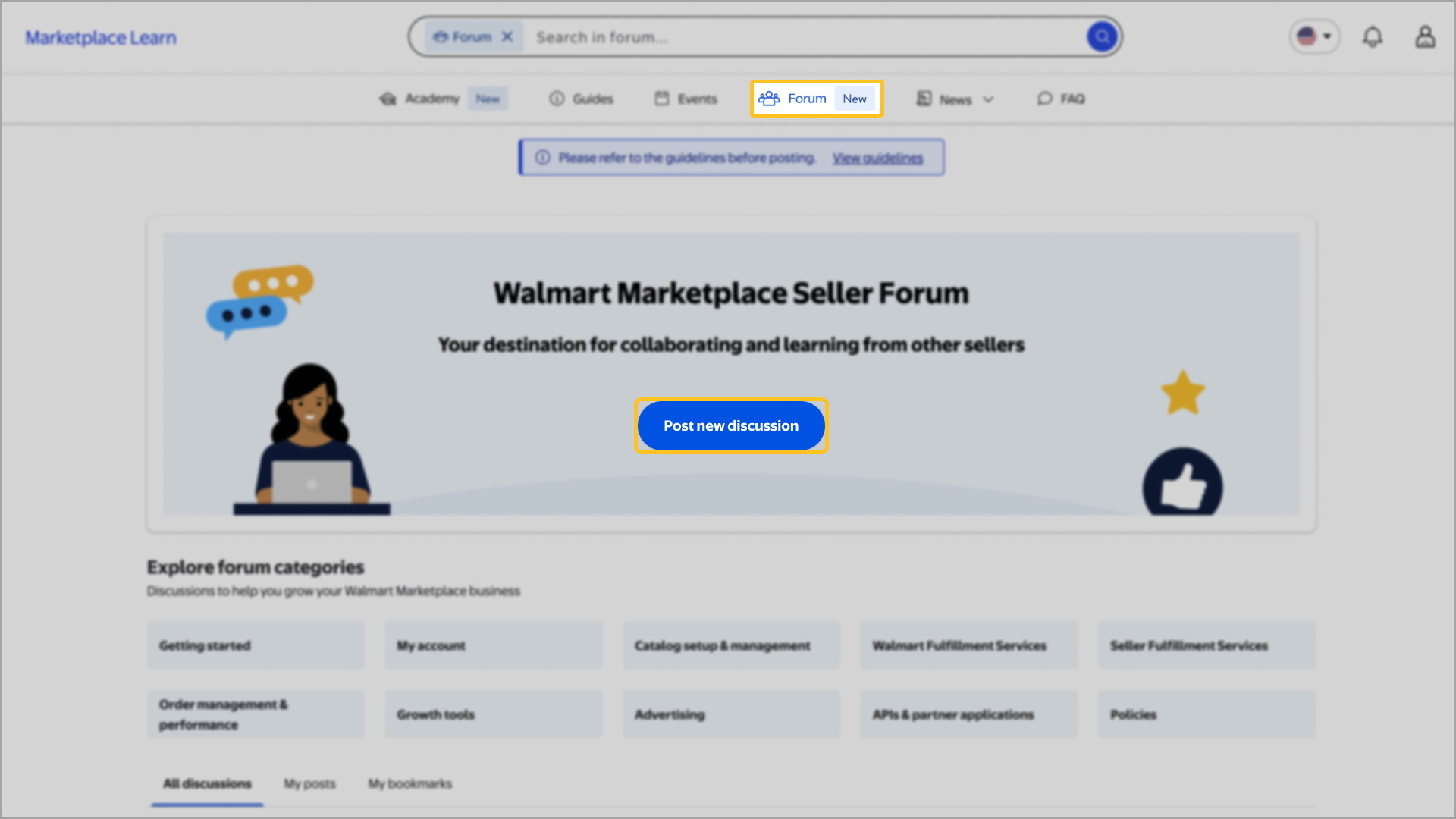
Navigate to Marketplace Learn, sign in and choose the Forum tab. Then, select Post new discussion.
Before creating a new post, select View guidelines to review the Seller Forum policy. Be sure to search the Forum for your topic first to avoid duplicate posts.
Step 2 – Create a post
Next, fill out the Title field and select a category for your topic. Once you’ve selected a category, choose up to five tags related to the topic of your discussion.
In the Post/discussion content section, share your question or insight, then select Post to start the discussion. Give the post a moment to upload to prevent it from creating duplicate posts. Accurate responses, from other sellers or Walmart moderators, are marked as verified with a check.
Creating a title and choosing a category is mandatory, and you may choose up to five tags per post.
Step 3 – Stay engaged
On the Forum homepage, you can view all posts including yours and any threads you have bookmarked. You can also access notification preferences and earned badges by selecting the Profile or Notifications icon. To view badges awarded to another seller, select their username.
Badges apply only to your activity within the Seller Forum and don’t reflect your overall Seller Center account status.