Getting started
Item setup
Catalog management
Seller Fulfillment Services
Listing optimization
Order management
Taxes & payments
Policies & standards
Growth opportunities
Advertising
Walmart Fulfillment Services (WFS)
WFS basics
Getting started with WFS
WFS item setup
Select items for WFS
WFS prohibited products policy
Item setup methods: Overview
Convert seller-fulfilled items to WFS
Item template for WFS
WFS trade item configuration
WFS hazardous materials (hazmat): Item setup
WFS compliance: Safety Data Sheets (SDS)
WFS compliance: Batteries
WFS multi-box: Set up items
WFS big and bulky items
Shipping to WFS
WFS Inventory management
Walmart Cross Border - Imports
Walmart Multichannel Solutions
WFS growth opportunities
WFS policies & standards
WFS programs & services
Troubleshooting
Walmart Seller app


A Safety Data Sheet (SDS) is a detailed informational document prepared by the manufacturer. It's like an instruction manual that describes the properties of each chemical; physical, health and environmental hazards; protective measures; and safety precautions for handling, storing and transporting the product. The SDS allows Walmart to determine if and how your products are regulated regarding storage, shipment, and disposal (in the event of damages). In this guide, we’ll explain when you need an SDS and how to find it.
When is a Safety Data Sheet needed?
Safety Data Sheets (SDS) provide critical information so items are handled accurately. Items that contain and meet the Walmart definition of a chemical, aerosol or battery may require an SDS.
Not all items that may be chemicals or aerosols are required by regulation to have an SDS. Items such as food, drugs, or cosmetics may be exempt from the requirement to have an SDS. However, Walmart still requires an SDS for some components of those items or other information about the items to ensure accurate handling. For example, items containing or packaged with an aerosol or a battery require an SDS to be uploaded for each of those components.
Label images
Some chemical items do not require an SDS for the item or any component of the item. In those cases, Walmart requires the upload of a label image(s). The label image(s) must include ingredients and any warnings. If any additional information is required, you may be contacted to provide it.
SDS required | SDS not required |
|---|---|
|
|
The label image should show a complete list of ingredients, drug facts, nutrition facts or over-the-counter dosage and instructions. Here are examples:
Acceptable label image 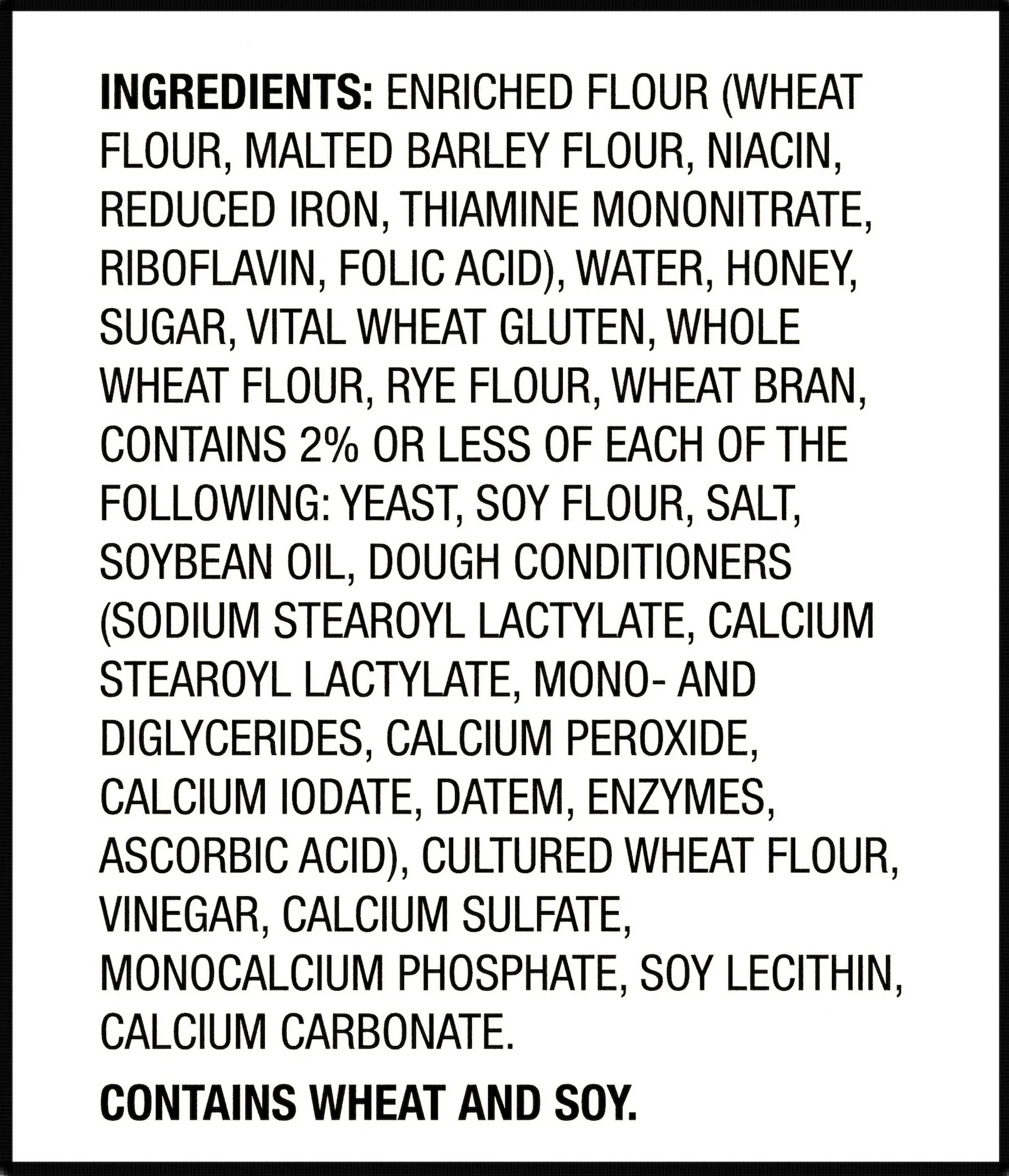 | Unacceptable label image: Ingredient list is incomplete or the image is cut off 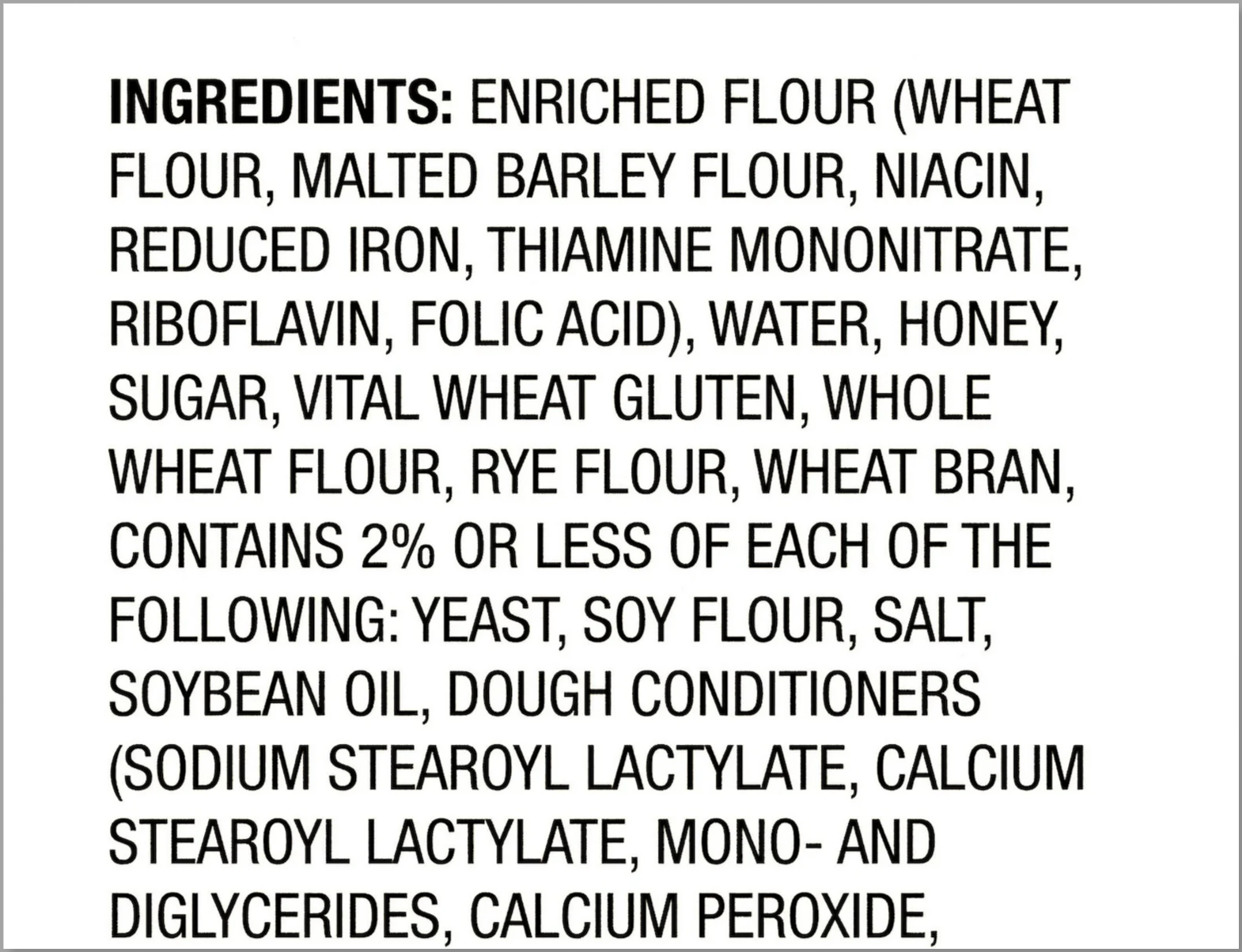 |
What's in an SDS?
An SDS must have the following 16 sections of information and be in English. Here’s an example of a complete SDS.
- Identification: Lists common names, recommended use and the supplier’s contact details
- Hazards: Summarizes the health impact, flammability and reactivity
- Composition/information on ingredients: Lists specific ingredients that make up the substance
- First-aid measures: Describes immediate care in case of exposure
- Firefighting measures: Describes how to put out a fire and hazards associated with a fire
- Accidental release measures: Explains how to protect yourself and the environment in case of exposure
- Handling and storage: Describes how to properly handle and store the substance
- Exposure controls/personal protection: Describes personal protective equipment and other methods to limit worker exposure
- Physical and chemical properties: Identifies technical information about the substance, such as weight, odor and pH
- Stability and reactivity information: Lists conditions that make the substance unstable
- Toxicological information: Describes the impact to health
- Ecological information: Describes the impact to the environment
- Disposal considerations: Explains how to discard the substance and any packaging
- Transport information: Lists shipping requirements to transport the substance, including a UN identification number
- Regulatory information: Specifies safety, health and environmental regulations not listed elsewhere in the SDS
- Other information: Provides miscellaneous details, such as when the SDS was last revised
For more details, review OSHA’s Hazard Communication Standard.
How do I find an SDS?
Find the SDS through the manufacturer's website, Walmart’s SDS library or online search. For batteries and battery-containing products, you may find an Article Information Sheet or Product Datasheet instead of an SDS.
Manufacturer website
Manufacturers and retailers often store SDS on their websites for items they sell or once sold. The search terms may vary by site, so try spelling out “Safety Data Sheet” if "SDS" doesn’t have results.
Walmart SDS library
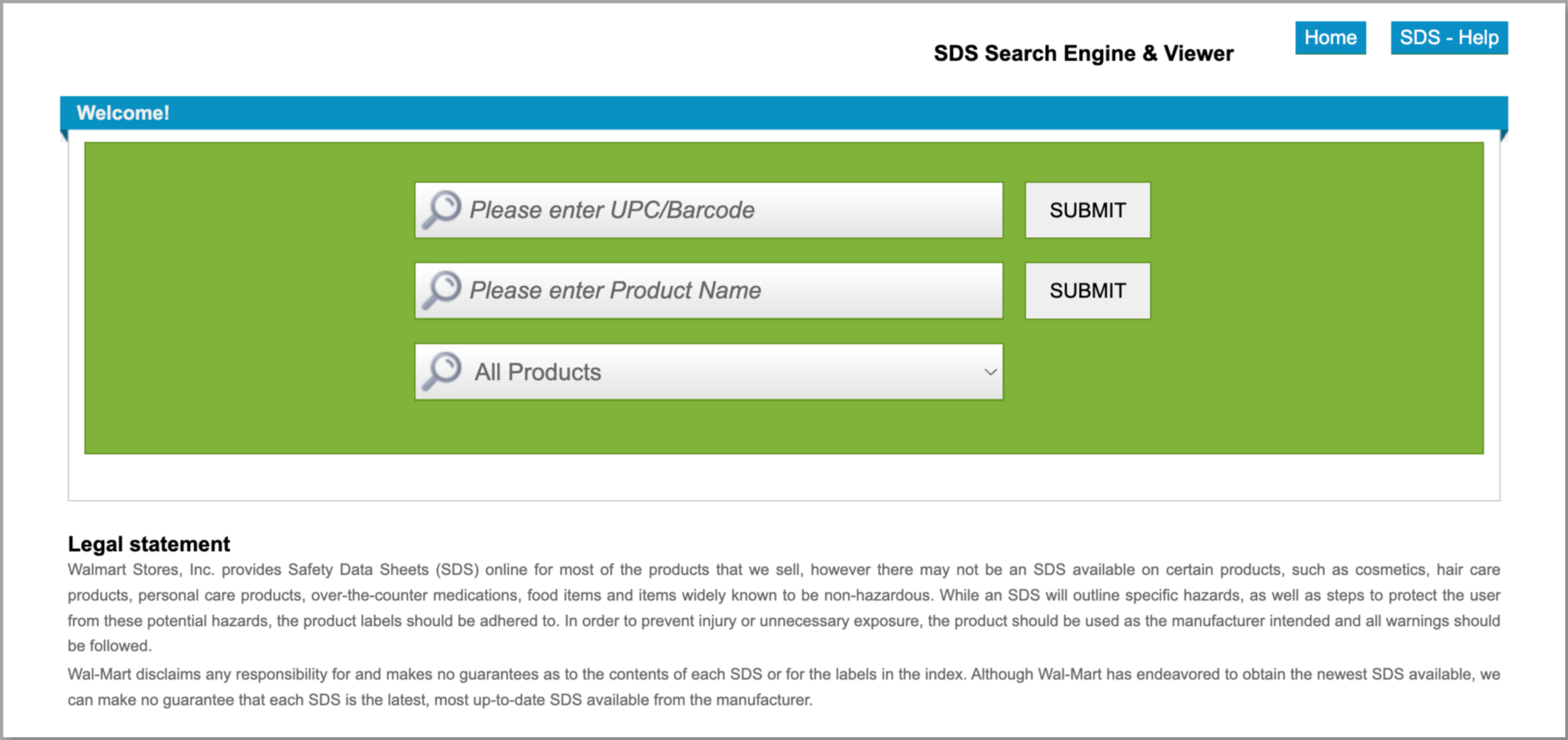
Walmart has an SDS Search Engine that contains a wide assortment of SDS. You can search by product UPC or product name. We cannot guarantee that each SDS is latest, most up-to-date from the manufacturer.
Online search
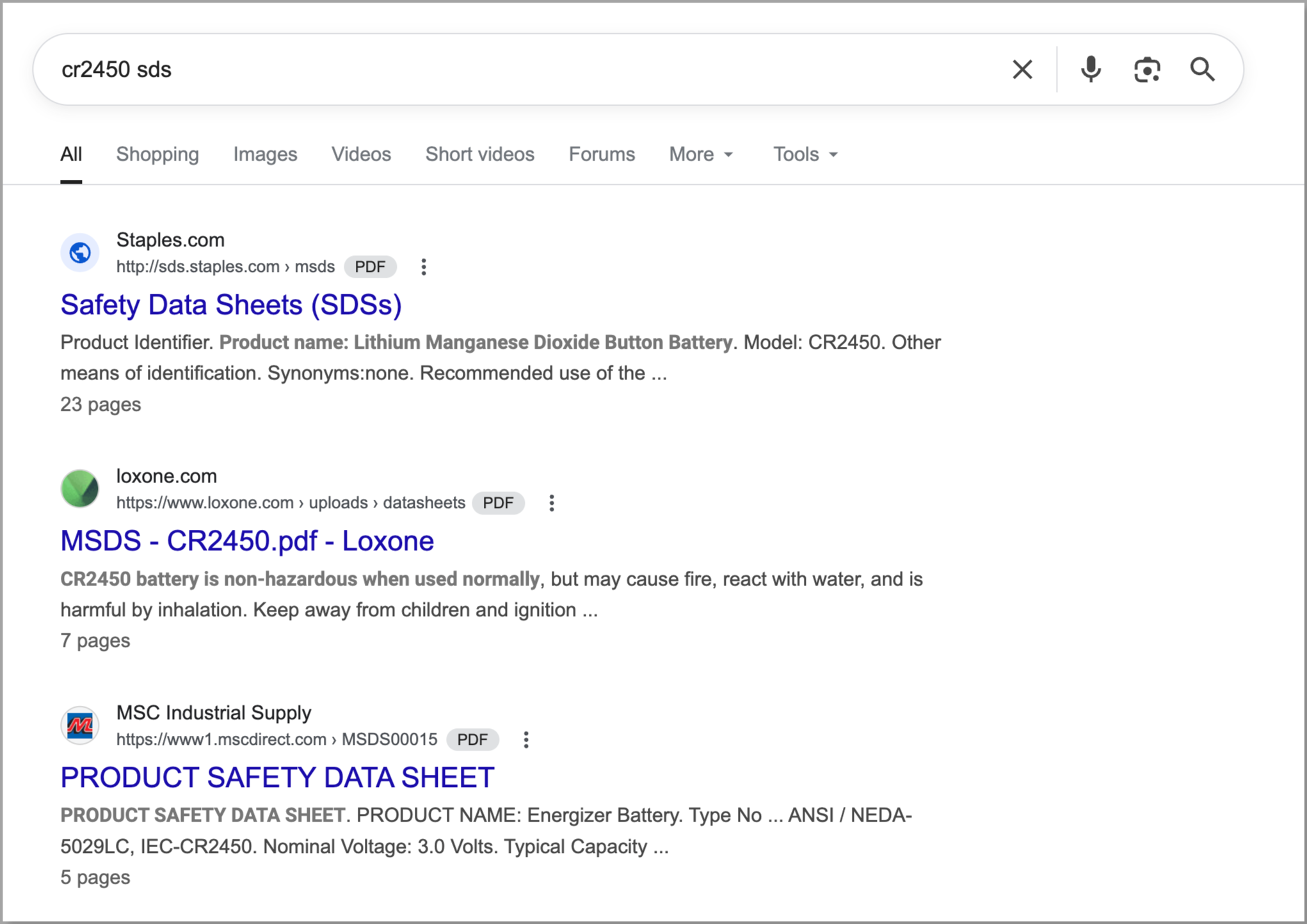
To find the correct SDS, be as specific as possible in your online search. For example, include both the brand and model. If you don't know your model number or type of component, you can first search the item name. Once you locate the model number, add "SDS" to your search. For example, we first searched the item name of a medical device and found the battery model it uses. Next, we searched the battery model number to find the SDS.
How do I submit an SDS or label image?
Add a link to the SDS or label image when you set up the item. You only need to include one of these documents, depending on your item. If you have multiple SDS for one item, combine them into a single PDF. Make sure the link is not encrypted or password protected. For instance, you can upload the document to Google Drive or other file-hosting service, then create a shareable link.
If you’re submitting a label image, link to a JPG, PNG or BMP so the image can be shown in your Walmart.com listing. Make sure it’s publicly accessible and is under 1 MB. For more detail, visit Image guidelines and requirements.
The information found within this article, and the related hyperlinks, is for general informational purposes only, and is not considered legal advice. This article may contain links to third party content, which Walmart does not warrant, endorse, or assume liability for and your reliance on such content is solely at your own discretion.