Getting started
Item setup
Catalog management
Walmart Fulfillment Services (WFS)
Seller Fulfillment Services
Listing optimization
Order management
Taxes & payments
Policies & standards
Growth opportunities
Advertising
Walmart Seller appNew


To sell on Walmart.com, you must provide accurate and current business information (e.g., a valid business name and phone number). In accordance with applicable law, certain Marketplace sellers must verify their business information every year. In this guide, you’ll learn more about the Business Information Policy and how to verify your business information.
Walmart may display your business information provided on product listings and/or seller pages on Walmart.com.
What is the policy?
In accordance with applicable law, such as the Federal INFORM Consumers Act and similar state laws, Walmart may reach out to you to verify your business information. You may be required to verify your business information on file in Seller Center, by email or by phone. You must respond to each inquiry from Walmart in a timely manner. Failure to do so may result in consequences, up to and including suspension of your Marketplace account.
If you use a third-party seller to supply an item that is purchased on Walmart.com, you must inform Walmart that you intend to use a third-party seller to supply your items and provide Walmart and/or consumers with the name and contact information of the third-party seller. To do this, send an email to SubSeller@walmart.com with the subject "Third Party Seller Notice." Then, provide Walmart and/or consumers with the name and contact information of the third-party seller.
Seller Certification
Step 1 – Get started
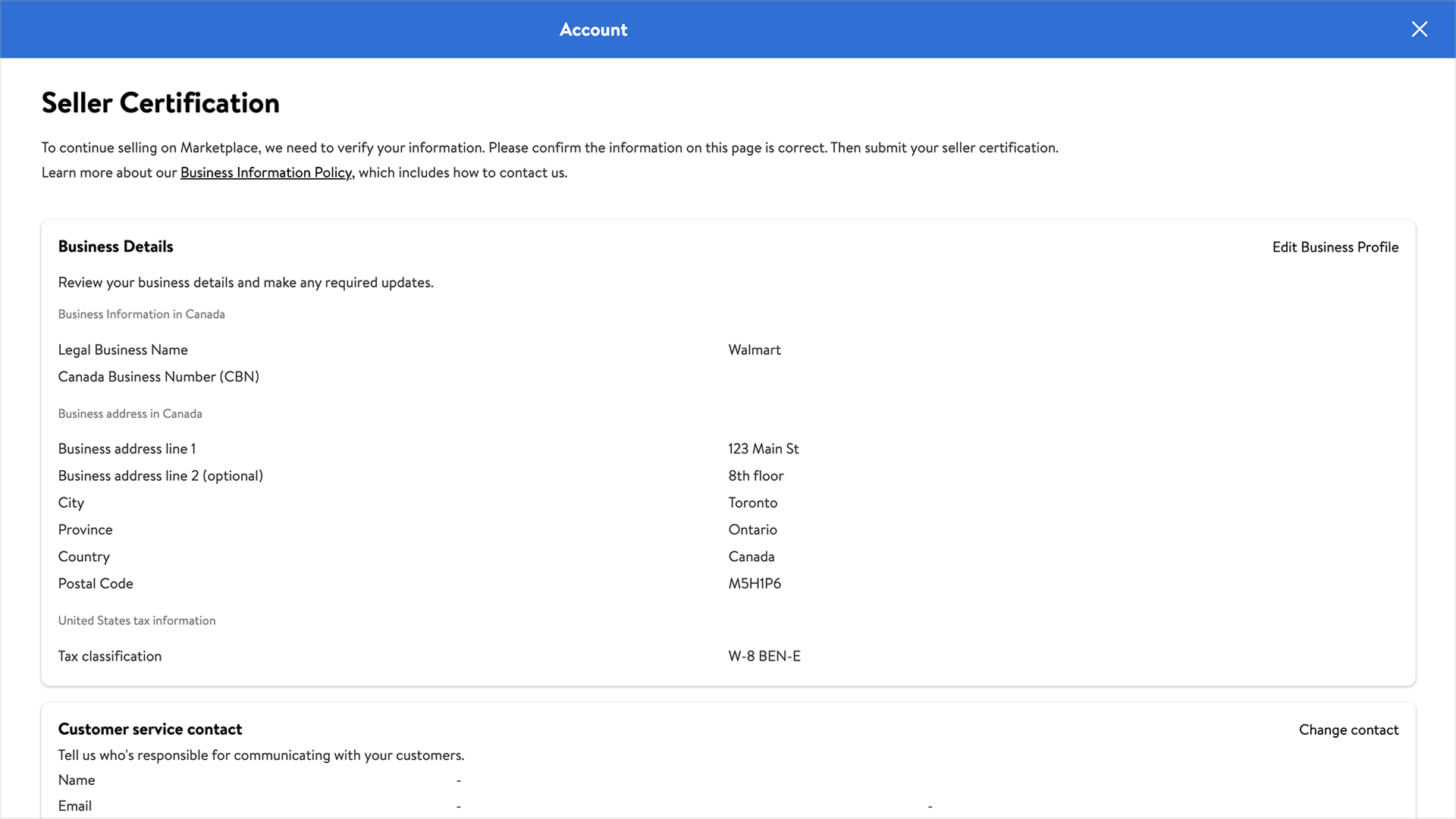
Navigate to the Seller Certification page in Seller Center. If you have administrator access, select the Account settings menu and choose Seller Certification under the Administrator Options section.
Step 2 – Review and update information
Review the information on the Seller Certification page. To update your business information, select the Edit Business Profile tab. To update your customer service contacts, navigate to the Customer service contact section and select Change contact. If you’re completing the certification for the first time, enter your customer service phone number and email address carefully to avoid verification delays.
Step 3 – Select phone verification method (U.S./China sellers only)
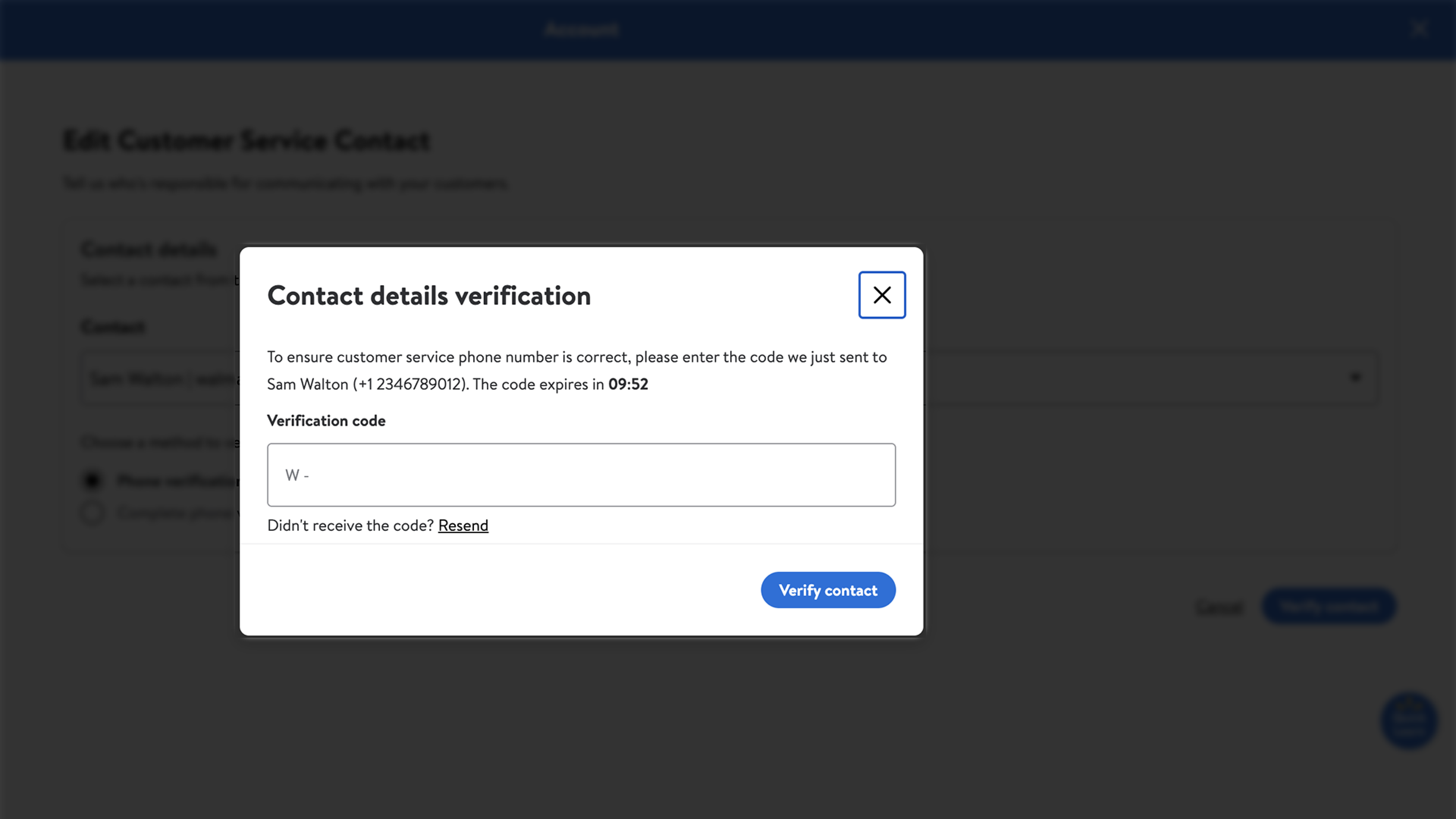
Walmart can verify your number through a one-time passcode (OTP) delivered by text message. Landline and Voice Over Internet Protocol (VOIP) numbers can’t receive an OTP.
If you don’t receive the OTP or you can’t verify your number through this method, select Complete phone verification later and Walmart will contact you by phone.
Step 4 – Submit
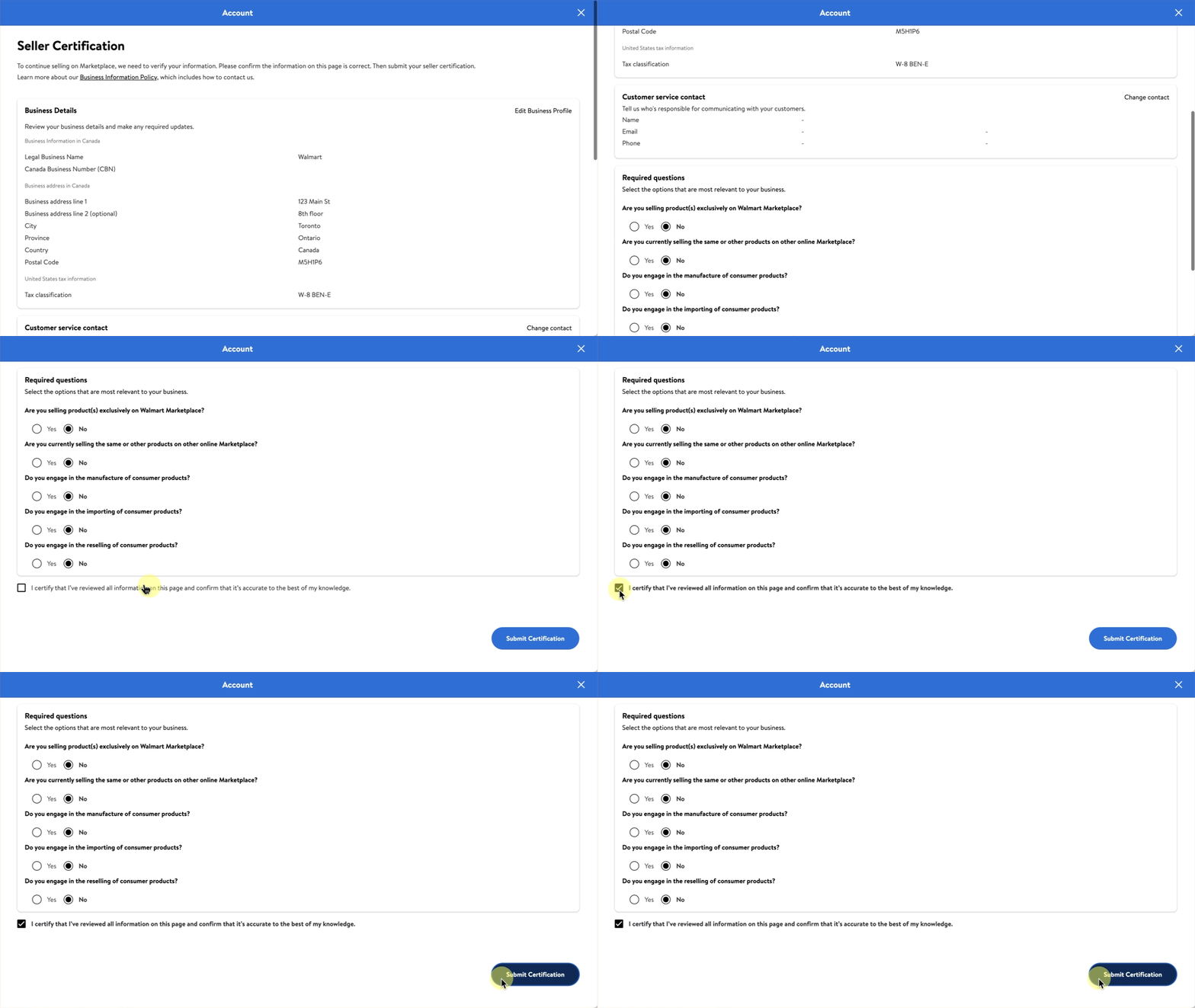
Check your information to make sure everything is correct. Then, select Submit Certification. Visit the Seller Certification page in Seller Center to view your certification status, check for updates and make any changes. If we can’t verify your information, we’ll notify you through Seller Center and by email.
The third-party information found within this policy and the related hyperlinks is for general informational purposes only and is not considered legal advice. This policy may contain links to third party content, which Walmart does not warrant, endorse, or assume liability for and your reliance on such content is solely at your own discretion.