

Seller Center is your one-stop-shop for managing your items on Walmart Marketplace Canada. After you’ve created your Seller Center account and agreed to the comprehensive terms for the Walmart Marketplace Canada, Walmart Fulfillment Services (WFS) and Walmart Global Marketplace Seller Privacy Notice, you’ll be directed to the Seller Center homepage to complete the account setup process: Business Verification, and Store Setup details. Your items can be published on Walmart.ca only after the account setup process in Seller Center is complete.
Review the list of documents needed before you can create an account and start selling on Walmart Marketplace Canada.
Create an Account
To start selling on Walmart Marketplace Canada, you must create an account.
- Complete the required fields on the registration page.
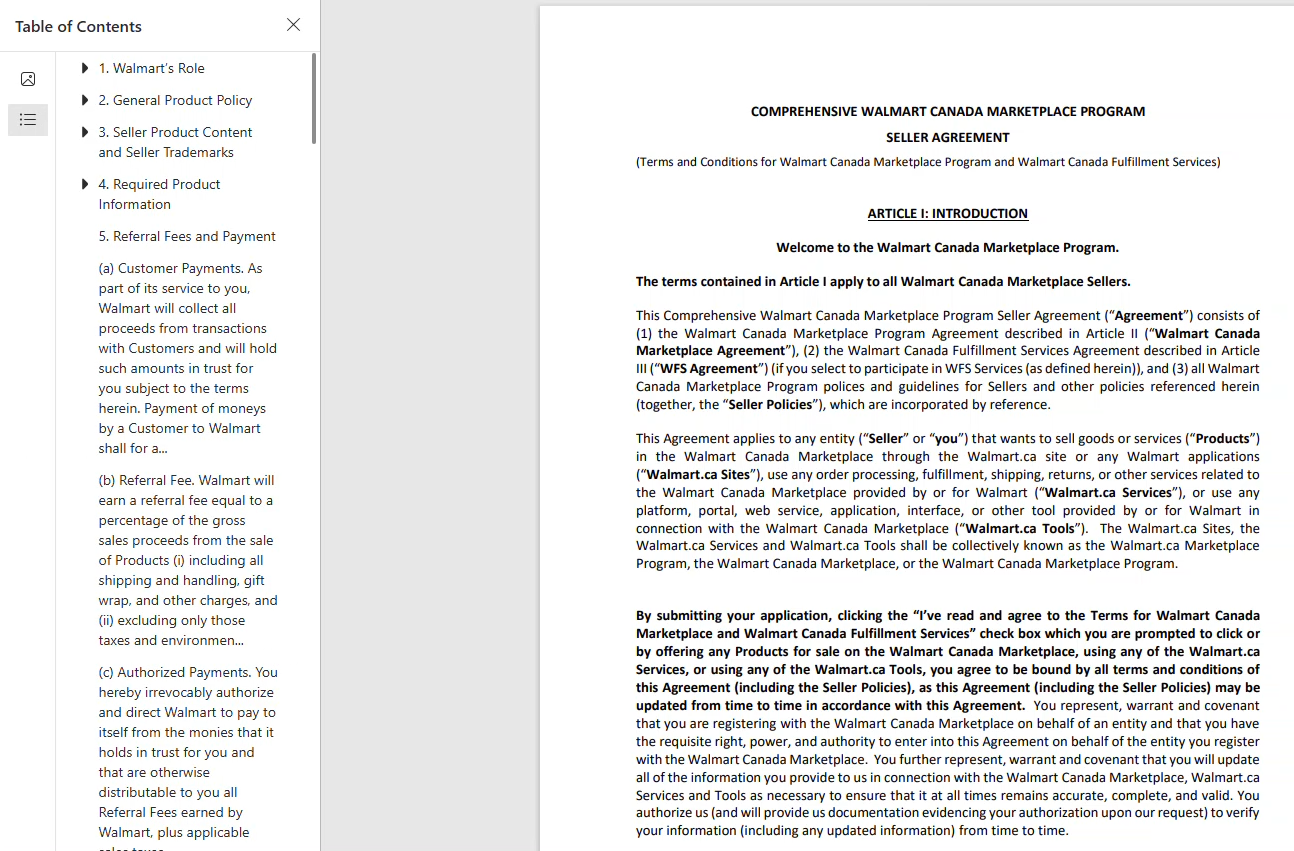
- Click on the Seller Agreement to review the terms and conditions. You can choose to download the agreement.
- Click Create my account and you will receive an email to verify your account. Follow the link in this email to Walmart Seller Center.
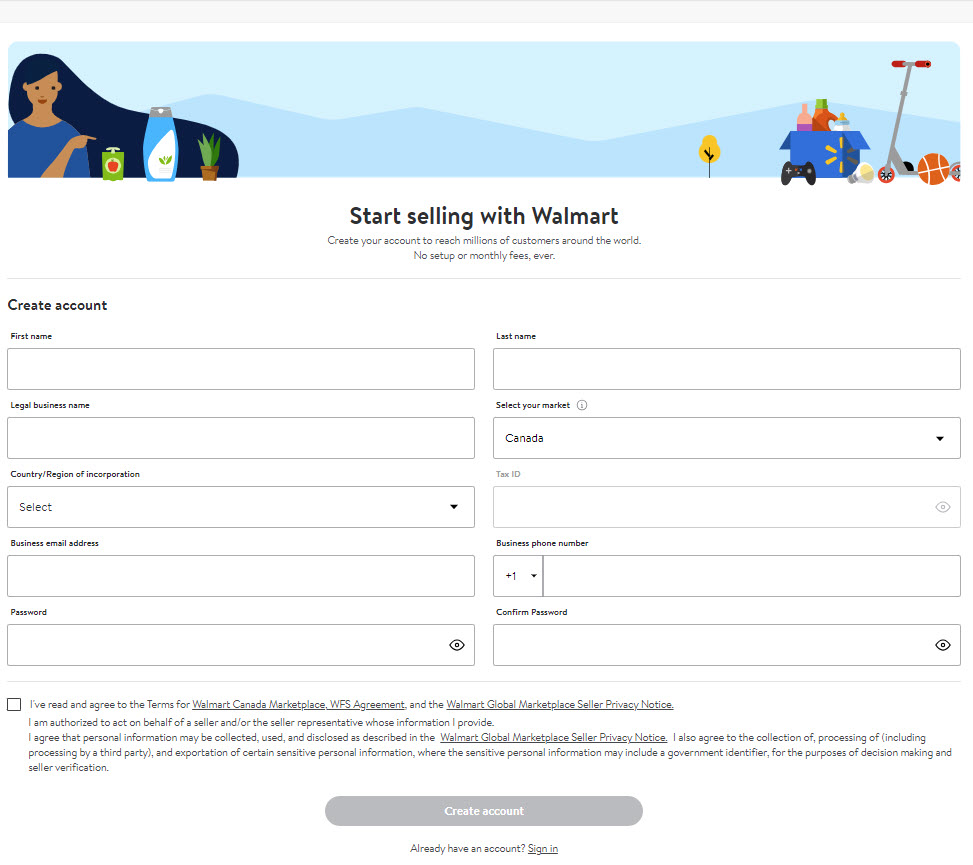
Seller Agreement
Once you’ve created an account, finish 5-setup process to start selling your items.
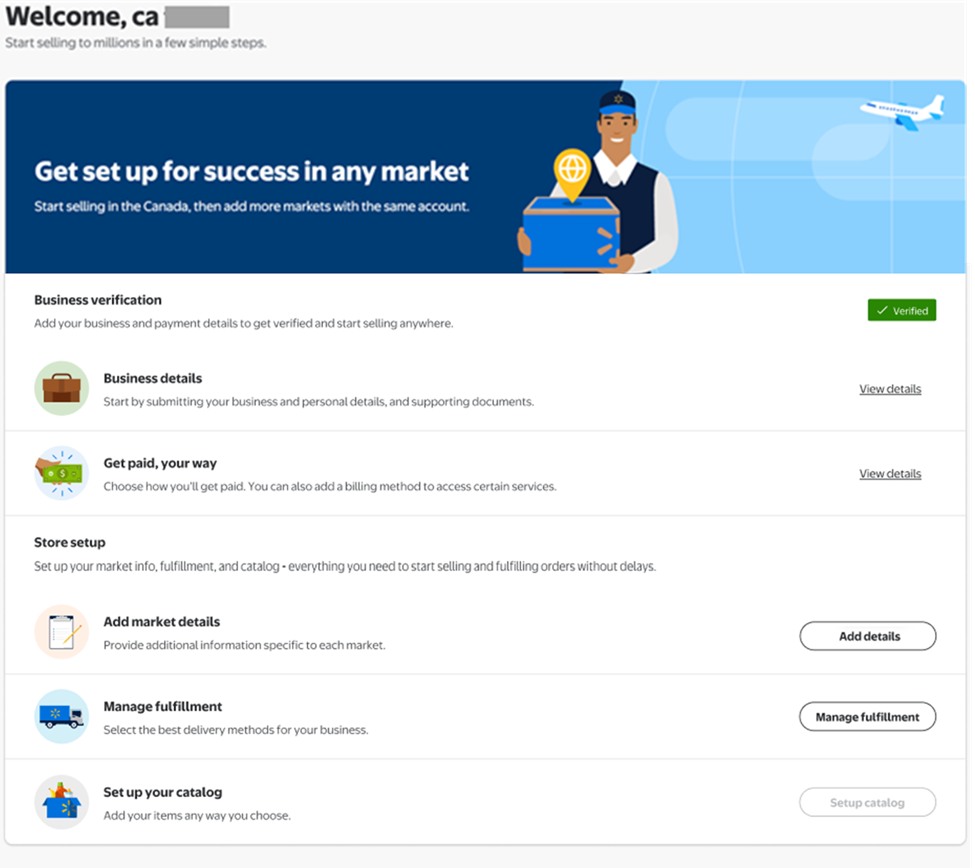
Step 1- Business Verification
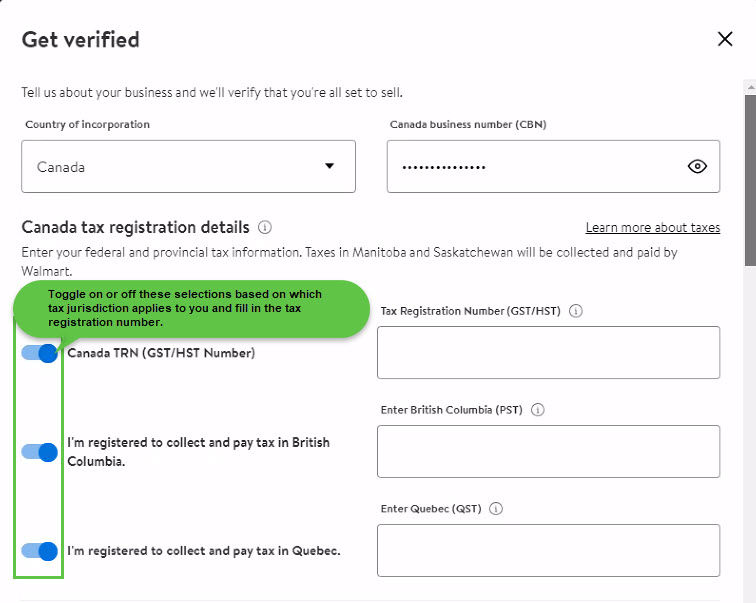
Business verification is a crucial step that helps us confirm your company's credentials. To begin the verification process, you must provide your business details and payment information. The initial verification process can take up to +7 days. You must wait until the business verification process is successfully completed before proceeding to Store setup.
- Business details: Enter your business information including your business license number and legal business name. You must include personal information, such as the personal ID of the applicant or legal representative. Here are some additional details you can review for documents required: Home | Marketplace Learn.
- Payment: Once you submit the Business details in Seller Center, next step is to setup the payment option (Please note- you must continue your payment setup directly in Seller Center. Do not try to setup a new payment account directly on the payment provider website). Choose how you want to get paid by setting up an account with available options Setting Up Payment.
Please note:
- PingPong: Currently available only to China-based sellers. PingPong cannot provide services to businesses or individuals with legal entities registered in Quebec.
- Payoneer: Available to all sellers, except those registered in Quebec.
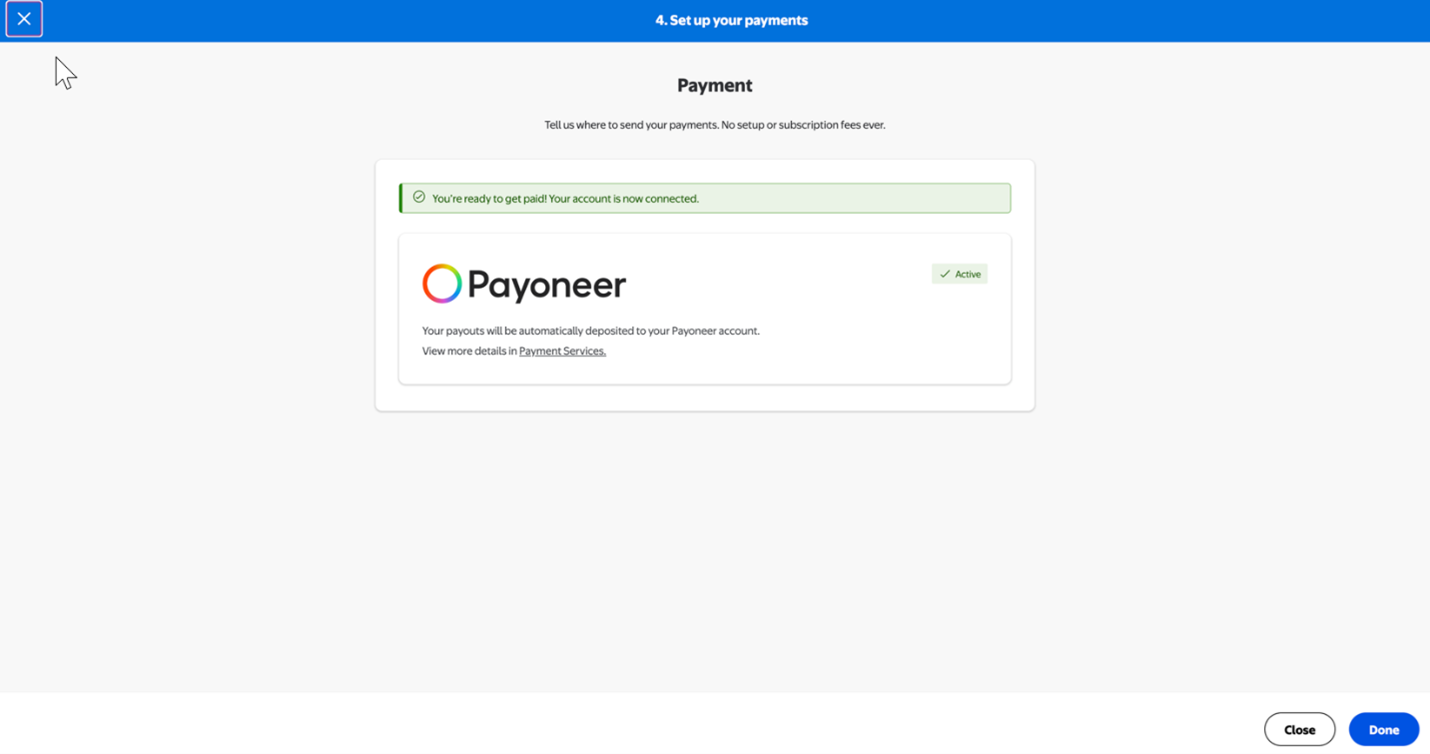
- Once you complete your business details, you have 30 days to complete setting up your payments. If you don’t complete this step in 30 days, your account will be declined, and you’ll need to re-apply.As a new seller, you’ll experience a New Seller Payment Hold after you begin selling on Walmart Marketplace Canada to allow time to build sales history and credibility.
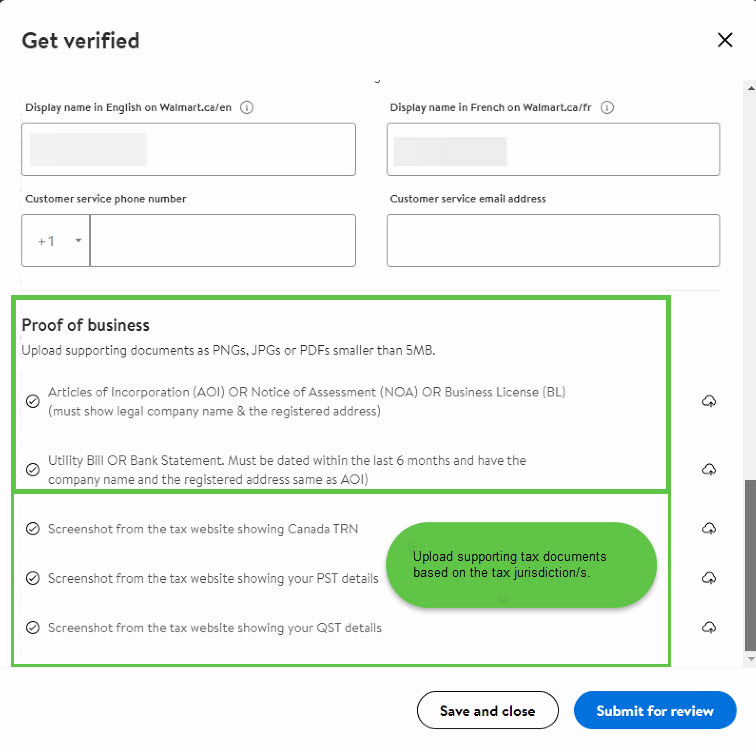
Important - Upload the following supporting tax documents to avoid delays:
- Articles of Incorporation (AOI) or Notice of Assessment (NOA) or Business License (BL) (must show legal company name and the registered address).
- Utility bill or bank statement. Must be dated within the last 6 months and have the company name and the registered address same as the AOI.
And the below screenshots from tax websites that applies to you.
- Screenshot from the tax website showing Canada TRN details.
- Screenshot from the tax website showing PST details.
Screenshot from the tax website showing QST details.
Review the How to Obtain Supporting Tax Documents article for instructions to retrieve the screenshots of your proof of registration by tax jurisdiction.
Step 2 - Store setup
The Store setup step includes the following:
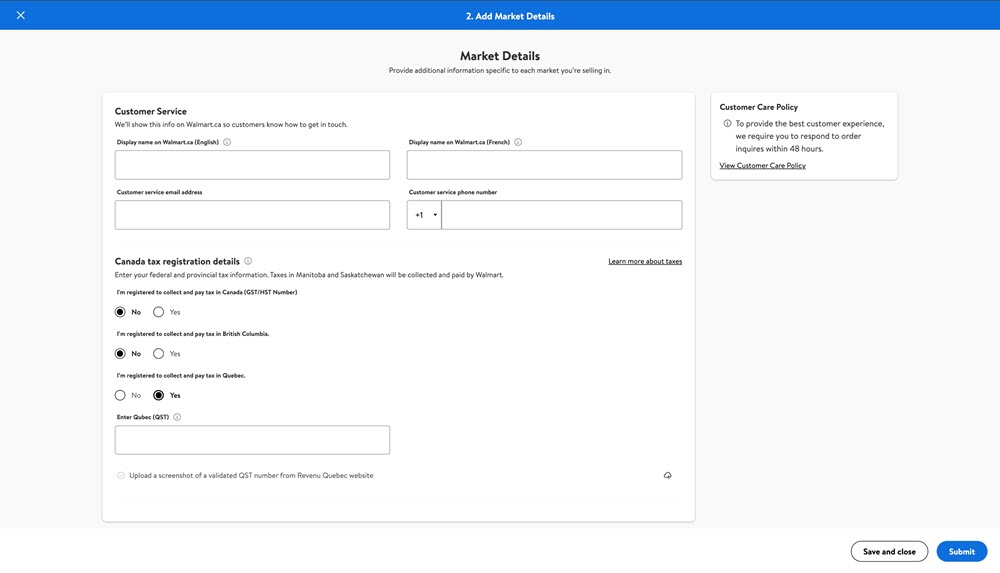
- Add market details: Provide your customer service details and your Canada tax registration details.
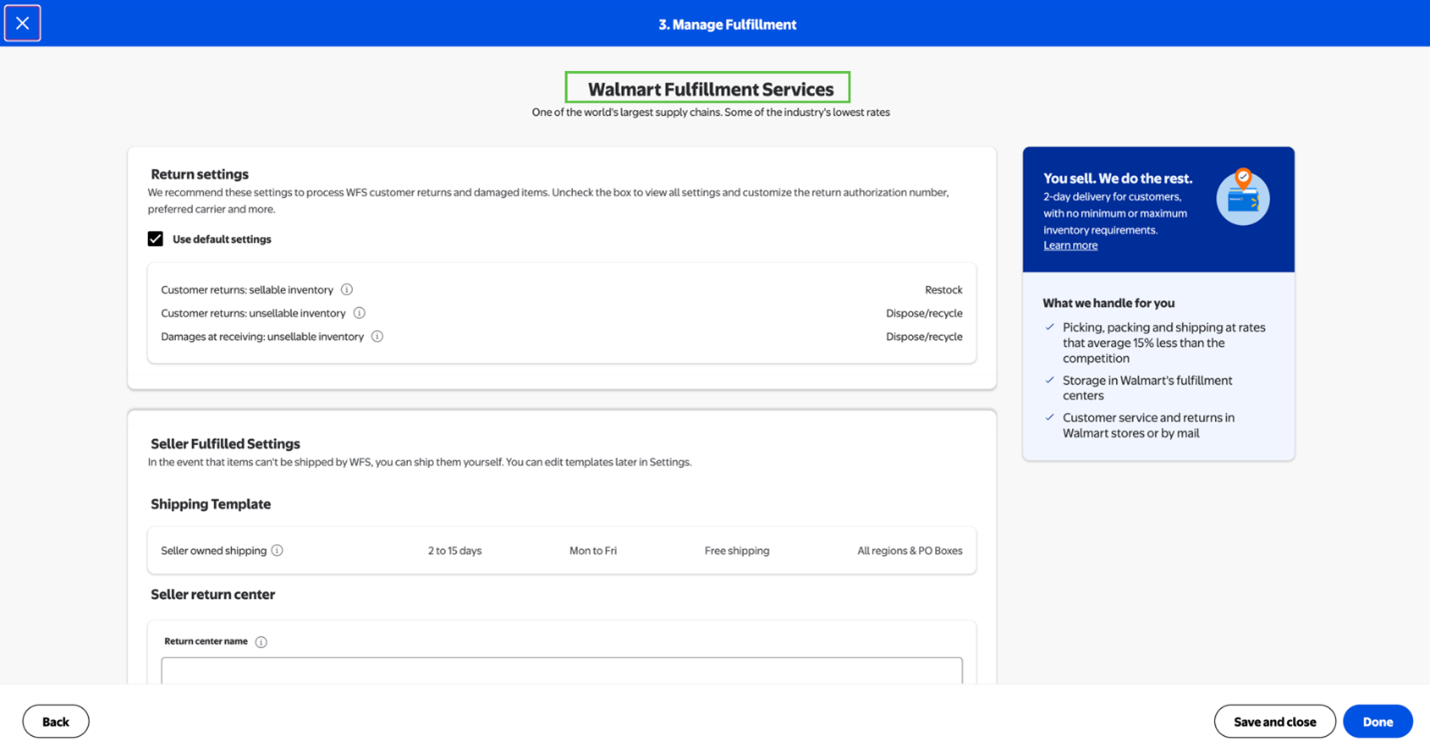
- Manage Fulfilment: This is the primary way you’ll ship to customers. You can always update this information or add more shipping methods later. Both methods require a verifiable Canadian return address.
- Walmart Fulfilment Services (WFS): Select Ship with WFS if you want Walmart to pick, pack and ship items to the customer on your behalf. We’ll also handle all customer support and returns. You’re required to provide additional information for WFS items including country of origin.
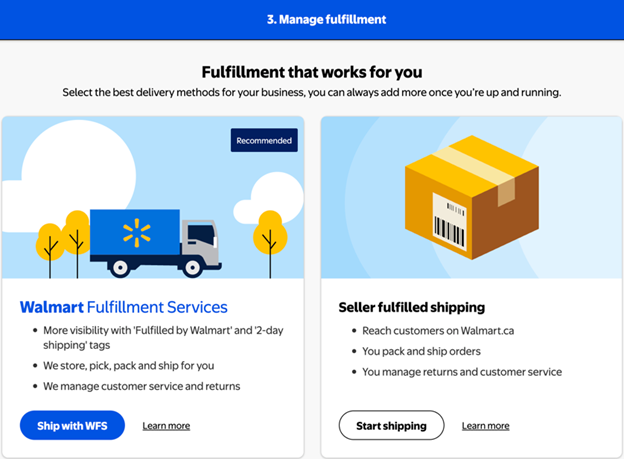
- Seller Fulfilled Shipping: Select Ship yourself if you want to pack and ship orders yourself. Set your own transit times, then provide the required details for Return Labels, Return centers and Fulfilment center.
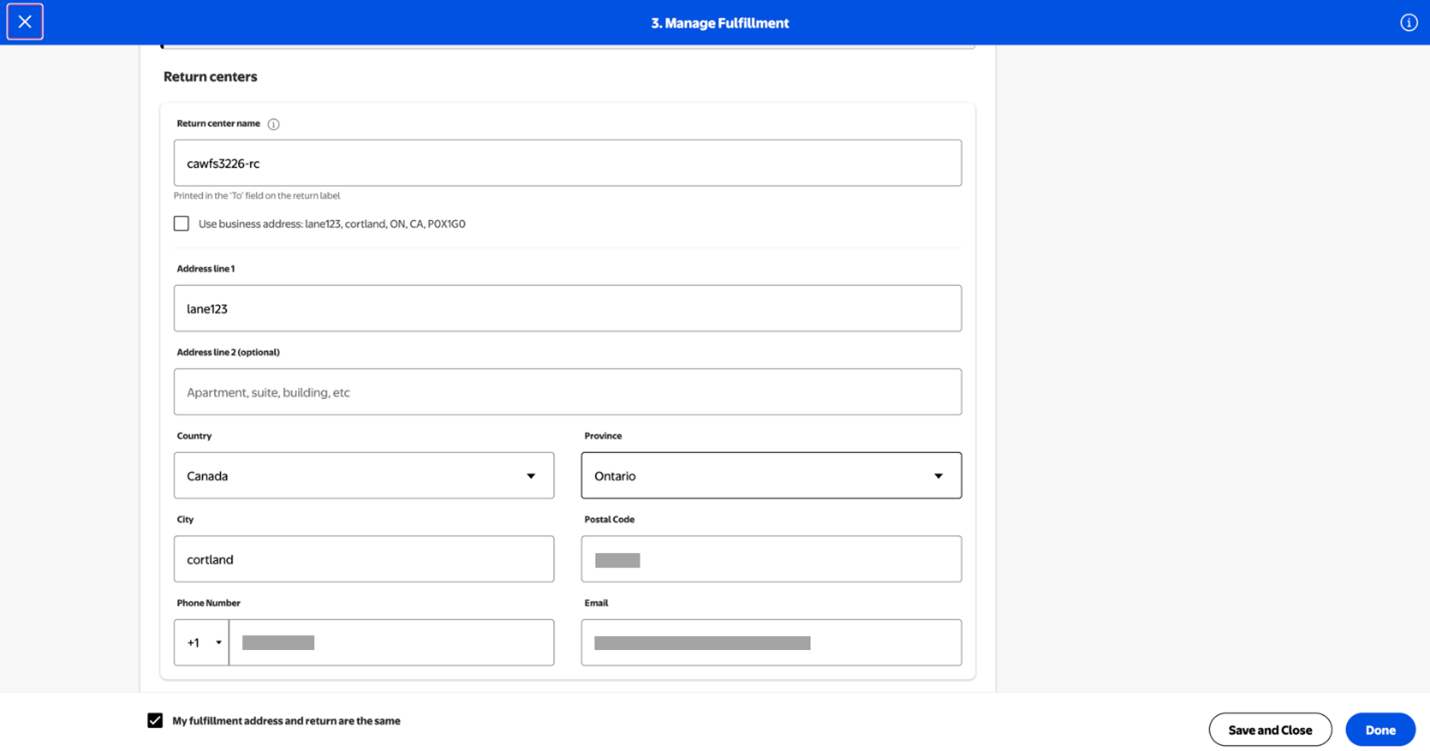
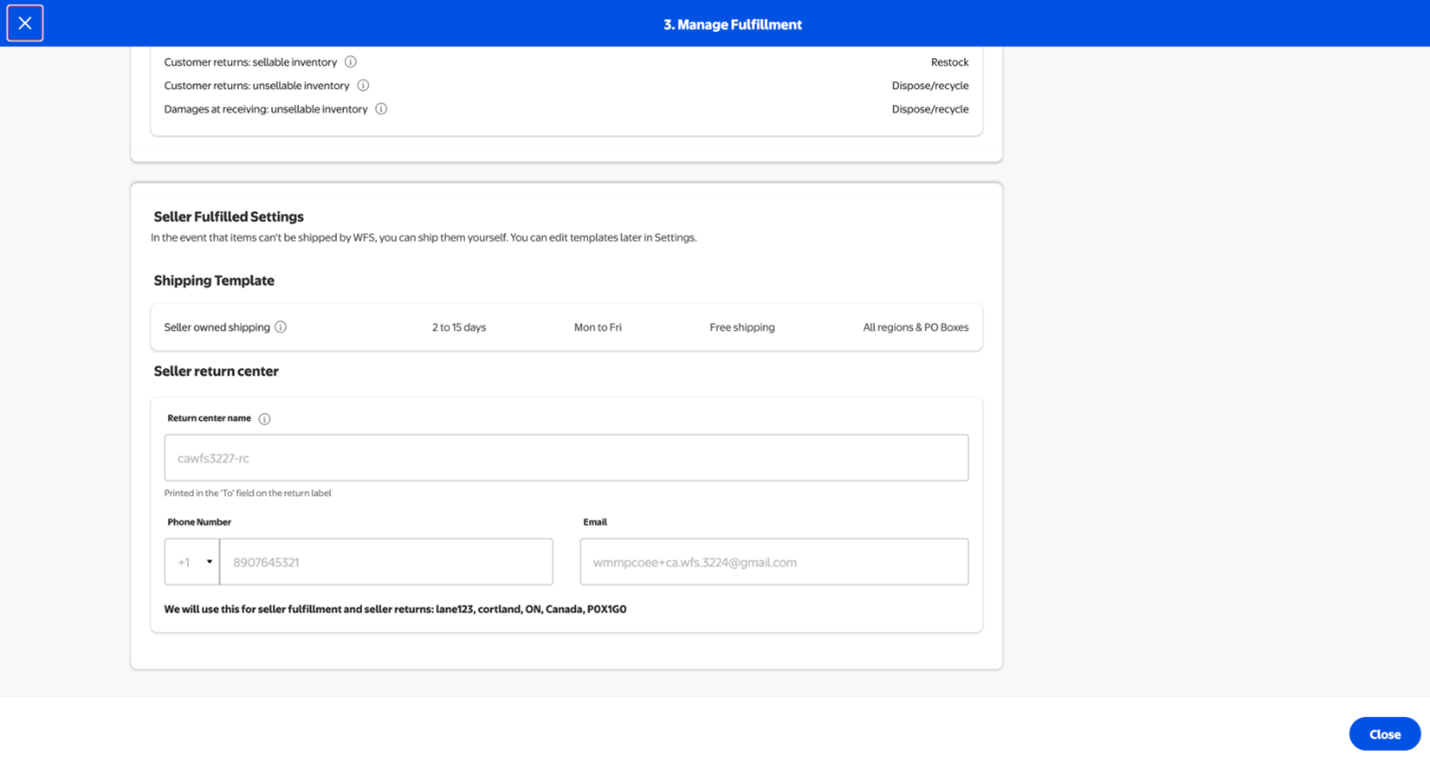
After you finish setting up your Marketplace account, you can manage your shipping settings anytime from the Shipping Profile section of your page in Seller Center.
- Set up your catalog: You must complete the steps above before you can create your Marketplace catalog. When you’re ready, choose how you want to Set Up Your Catalogue.
Your account setup may take up to four hours to finalize after adding your inventory.

Resources
Find additional resources that will help guide your onboarding experience:
- Walmart Fulfillment Services (WFS) - Once your account is live, store and ship your products with Walmart Fulfillment Services. Apply for WFS directly in Seller Center.
- Click on the solution providers options to leverage external solution providers View Solution providers who provide their services at Walmart negotiated rates.
- Discover how Walmart Marketplace Canada sellers can harness Advertising Solutions to increase visibility, reach more customers, and grow their brand presence effectively.
- Boost your product conversions on Walmart.ca by ensuring strong review coverage and user-generated content. Learn more about Review Syndication.